
The Google disavow tool enables domain owners to alert Google about low-grade links pointing to their sites that they want to have disassociated from their domains. This allows Google to be notified by SEOs of what external links should be included in Google’s ranking factor assessments of a website.
Site publishers who bought links from a link farm or have multiple dangerous or spammy external links associated with their websites can benefit from using the Google disavow tool. Buying links violates Google’s policies and may result in the buyer’s website receiving penalties.
About the Google Disavow Tool
Since October 2012, digital marketers along with SEOs have had knowledge of the disavow tool from Google. Yet SEO and marketing experts claim that Google hides this tool, making it difficult to locate since most websites have no need for its use.
During 2012, Google’s Penguin update also altered the way in which Google deals with low-grade backlinks. If Google detects your site’s use of any black hat link-building methods, Penguin will penalise your website. However, the Google disavow tool can enable you to reinstate your site’s former ranking.
When to Use the Google Disavow Tool
Only make use of Google’s disavow tool if you are well-experienced in assessing a website. You need to have some degree of expertise in important aspects of site evaluation before using this tool. You also need to understand how to accurately identify links and other site content that may be harmful or spammy. If you make the wrong evaluation of an external link, you can cause harm to your backlink profile.
With the help of expert web developers and website content performance marketers, you can successfully identify bad links by performing a backlink hygiene analysis. This analysis can be achieved with the aid of a comprehensive backlink database providing optimal-value data concerning links. This high-calibre link database will enable you to locate backlink information relative to enterprise SEO pursuits.
If you have located poor-grade links that you want to disavow, the Google disavow tool is an excellent aid to use. Perhaps you have contacted link farms that you used in the past, requesting them to remove bad links. If these link farms have not responded to your request, you should consider notifying Google of your strong desire to have your site disassociated from these bad links.
You should be aware that you can use the Google disavow tool, and Google will then ignore these poor-grade links when performing an evaluation of your website. However, this will not remove the links from your site. These links will remain unless or until the link farm where you obtained them responds to your request for bad link removal.
Using the Google disavow tool can be compared to the process followed for cleaning up a consumer credit score. When working toward improving your score, you make contact with your creditors (or your third party websites) in an effort to settle accounts with them. You then make contact with the credit bureaus (or with Google) to remove items that have a negative effect on your credit score (or your Google PageRank).

Video is one of the most effective marketing tools that you can use in your website design. Embedded or linked videos on your site can attract greater web traffic volumes, create leads and increase your conversion rates. Nearly 80 percent of video marketers report that including quality videos in your website design builds sales numbers directly.
To determine whether you should embed or link videos for your website design, it is necessary to understand the differences between these two methods.
Embedded Videos
When you embed a video on your website, you are borrowing it from another web platform. This enables your target audience and site visitors to view the video while remaining on your site.
Linked Videos
When you link a video to your website, you are using a shared URL for the video. When they click on the link for the video, your site users are redirected to the hosting page for the video.
When building or revising your website, embedding videos is the ideal option. This method will keep your visitors on your site, while linked videos will send them to an external web page. Of course, you want to keep your site users on your website, viewing all of its pages and content.
Especially if you have an e-commerce site, you want to increase your customer base and sales conversion rates by capturing and maintaining your visitors’ attention and interest.
Embedding Videos: Pros and Cons
Pros
You can modify the embedded code to change the width and height as well as the frame size and other aspects of a video. This enables you to display the video for optimal online and responsive viewing.
Cons
• Partial Control. You will have only limited control of videos that you embed on your web pages. Any videos that may conflict with the host site’s terms and conditions may be suspended. Yet if you are not violating any of these rulings, you will suffer no consequences. However, if the video is removed, your web page will still exhibit the video embed, which is broken.
• Included Advertisements. If your online business gains revenue via your YouTube AdSense account, you may have ads in videos that you embed on your website. Google advises that you cannot turn off ads for embedded videos only. Your sole choice is to turn off ads completely. Another option is hosting videos on Vimeo. This can provide your site visitors with ad-free viewing of your embedded videos.
• Customising Limitations. There is no way for you to alter the embedded player or thumbnail for an embedded video. An alternative is to use JavaScript as a customising tool for your video player.
Linking Videos: Pros and Cons
Pros
• Sharing Videos Easily. When you link to videos, your site visitors can easily copy the video URL to share. Mobile site users in particular like to send these URLs via email or chat.
• Promoting Your YouTube Channel. If you link to YouTube videos on your web pages, your site visitors can click each link for a redirect to YouTube. There, your visitors can view your other videos and subscribe to your channel.
Cons
• Less Convenience. The redirect to the host page for a linked video can take time. If the host web page loads slowly, your viewers may decide to abandon your website for the site of a competitor.
• Reduced Searchability. Although embedded videos will appear in SERPs, video links rarely do. This may cause your site visitors who like video content to leave your site to view competing website content.
• Distracted Site Visitors. If you link to a YouTube video on your web page, your visitors will follow the link to YouTube. Once there, they may become distracted by other videos and fail to return to your site.
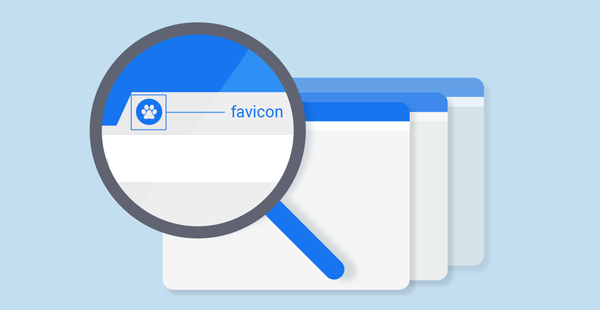
Favicons are small pieces of graphics that represent your brand in search history, search ads and search results as well as browser tabs and bookmark lists. They consist of small 16 by 16-pixel icons that typically feature a logo along with the initial letter of the brand name or a generic image that identifies a type of business. These files are placed within a file named favicon.ico that is located in a website’s root directory.
Microsoft Internet Explorer 5, released in March of 1999, first supported this favicon file. Then in December of 1999, the World Wide Web Consortium (W3C) standardised the favicon with support from Hypertext Markup Language (HTML).
Favicons were originally intended to show only for bookmarked URLs. Yet today there are multiple purposes for displaying favicons. Google incorporates these images into search results, displaying a web page favicon beside the page breadcrumb in its search snippet content. Google displays the favicons only in mobile search results today.
Common Favicon Uses
Favicons are like miniature IDs for websites. They assist web users in remembering your website, brand and products. Whenever web users come across your favicon online, this small yet powerful visual aid triggers their memories, helping them recall your site. Since graphics are much longer remembered and more quickly perceived than text, favicons serve a vital purpose in gaining and retaining good visibility for your website and brand.
Favicons also build website credibility and viewer trust. Web users who remember your favicon from visiting your site and then see it later in search results, bookmark lists or other online venues tend to trust your website and see it as having high levels of credibility.
They consider websites that display favicons to be more professional in design and offer more valuable content than sites without these miniature images. If your website displays a favicon, it will most likely receive return visits from most of your first-time viewers, helping to grow your target audience and customer base.
Importance of Favicons for Your Website’s SEO
Although favicons do not provide a direct ranking or SEO effects, they do offer valuable indirect SEO benefits, including the following:
Even if favicons are determined to have little if any direct effects on SEO, they are valuable for better branding and usability, which indirectly impact your website’s SEO.
Google’s Spam Update of November 3rd, 2021, is now completely rolled out. Google has indicated that this update pertains to spam content rather than to link spam, specifically. Previously, the most recent update that was confirmed by Google was in July 2021, and it was referred to as the link spam update.
Spam updates focus on and target certain Google Guidelines violations. This latest update may have concentrated more on content spam efforts. It can be helpful to check your Google rankings and your levels of organic traffic during the past week for any significant changes. This update is expected to have major improvements for better detection of spam in Google searches.
Additional features and enhancements offered by the Google Algorithm November 2021 Spam Update include the following:
Google Catches Old and New Spam Trends. Google is focusing strongly on detecting spam in search results. In April 2021, Google announced the design and development of a type of AI for combating spam. This artificial intelligence is designed to detect both new and older spam trends.
Significant Progress with Catching Spam. Google has announced that by combining a thorough knowledge of spam with advanced AI technology, the search engine has built its own unique spam-fighting AI. It is highly effective at catching both known and newly developing spam trends.
Effective Results of the November 2021 Spam Update. As a result of this latest spam update, Google has been able to effectively reduce the number of websites with auto-created and scraped content by over 80 percent in comparison to related efforts of a couple of years ago.
Important Aspects of This Update to Remember. If your website’s Google rankings or SEO traffic experience sudden changes, your site is most likely being affected by the new spam algorithm update. If so, an audit of your site can be helpful.
By reviewing Google’s Quality Guidelines, you can determine whether your website currently contains violations of the guidelines. Also, be on the lookout for more information about the Google November 2021 Spam Update as more data is released.
With more knowledge and understanding of these guidelines from Google, you will also be more attuned to recognising spam sites. If such websites are returned in your Google search results, you will be better prepared to eliminate them from your high-quality, usable search returns.
By including advanced AI technology in this spam-fighting update, Google is expanding and fine-tuning its capacity for detecting spam in search results. In addition, this latest November spam update will enable Google to catch and eliminate more spam websites. This will continue to enhance the quality and effectiveness of Google search results for all web users.

Google Lighthouse is an automated, open-source tool offering major insights for making improvements to your website. With the use of a Google Lighthouse report, you can evaluate and score the level of positive user experience (UX) that users are finding on your web pages.
In general, having a website with good UX indicates that your site visitors are having seamless interactions with your site and its content. In basic terms, providing good quality UX on your website means ensuring that your web page visitors can simply and easily browse, participate with interactive features and complete actions on your site without annoying interruptions.
If Google determines that your website is offering visitors a poor user experience, it may render penalties for your SEO endeavours and limit your brand’s online visibility.
Google is now putting more emphasis on web page experience, using a new set of Core Web Vitals or signals. These signals can be analysed in Lighthouse to reveal to what extent your page viewers are enjoying and benefiting from your website.
Lighthouse also informs you about which elements of UX on your web pages are effective and which ones are not. It also offers valuable tips concerning how to improve your web pages for better conversion rates and a large targeted audience.
For auditing your web pages to reveal where you need to make improvements, Google uses a basic 1-100 grading system. As you most likely know, Google includes page loading speed and mobile experience in its algorithm. Lighthouse will show you your page level of performance in these major areas of importance.
These user experience ratings are important for the following reasons:
If you are not using Lighthouse, likely, you are not aware of your web page load speed and mobile experience. You will probably continue to lose valuable customers at a rapid rate.
More key metrics involved include the following:
Web Page Visual Stability. For a good user experience and to increase your target audience and conversion rates, you need web pages with good visual stability. Your pages must load smoothly and rapidly without visual interruptions or interference.
Good Site Security. Your web pages must be operating on HTTPS to gain and retain the confidence of your viewers and customers. If your site visitors see that your website is not secure, they are much less likely to trust your brand and buy your products.
Lack of Annoying Elements. If your web pages contain pop-ups that slow down page load time and interfere with easy viewing of your major page content, your site visitors will be annoyed and most likely leave your web pages to view those of a competing website.
Lighthouse will inform you of these and other serious issues with your web pages and recommend appropriate changes. After implementing recommended changes, you are likely to benefit from improved Lighthouse scores.

If your website is not showing up in Google SERPs, there are definite reasons for this. Before you become discouraged, thinking that you may need to revise your entire site, be aware that most of these issues are relatively easy to correct. Three necessary factors need to be obvious for your site, your featured products page or your services page to show up in Google:
Important Reasons Why Your Website Is Not Showing In Google Search Results
Your website may not currently show in Google SERPs results for one or more of the following reasons:
Your Website is Newly Published. Some time is required for Google to find and crawl new websites and web pages. If you have just launched your new site recently, Google has most likely not discovered it yet. You can determine whether Google has found your website yet by searching for: site: yourwebsite.com.
If even a single result is returned, Google has discovered your website. If you need to find out if Google has found a specific page of your site, you can run a search using: site:yourwebsite.com/a-page-you-want-to-show-up-in-google/.
You Are Blocking Search Engines from Indexing and Crawling Your Web Pages. If any of your web pages have a “no index” meta tag, these pages will not be indexed. This is true even if you have produced a sitemap and submitted it in Google Search Console. In many instances, web users check a wrong tab or box when setting up their websites. Some site-building platforms like WordPress will add this meta tag to every page of your site if you happen to tick the wrong box.
Your website pages may also be blocked for Google crawling. The majority of web pages have a robots.txt file, and Google is unable to crawl pages that are blocked in this file. If you submitted your sitemap with Google Search Console, by navigating to the Coverage report, you can locate errors for “Submitted URL blocked by Robots.txt.”
You Need More High-Quality Backlinks. You must always prove to Google that your web pages are worthy of ranking. Of course, Google’s algorithms contain hundreds of factoring criteria concerning this issue. Yet one of the most significant ones appears to be the number of backlinks from unique sites to a page of your site for which you seek ranking.
Your Web Page Lacks Authority. The Google ranking algorithm is structured around PageRank, which designates backlinks and internal links as votes. This was still a major factor in their 2017 ranking algorithm. However, Google subsequently discontinued their scores for Public PageRank. This makes it impossible to compare the PR of your web page with that of pages with top ranking. There are other web tools, however, that enable you to make similar comparisons.
Like most web users who have WordPress sites, you are most likely seeking ways to help improve your WordPress SEO. Today, WordPress is used by nearly 65 percent of all websites that have a known CMS, and many of them get optimal results due to their top-rated SEO strategies, techniques and practices. Websites owned and operated by leading search engine optimisation experts to attract a couple of million organic site visitors each month.
Seven Methods for Significantly Improving Your WordPress SEO
Seven leading methods for improving your WordPress SEO significantly include the following:
There are currently many different ways for web designers and site owners to monetise their blogs and websites. In the process of monetising, outbound links may be produced. In website design, building and use, if too many links are created or if they lack correct annotating, these links may violate the Google quality guidelines. Google aims to continue lowering the impact of link spam on all search results. This is the major purpose of the Google Link Spam Update for 2021.
Important Aspects of the Google Link Spam Update for 2021
Major aspects of the Google Link Spam Update for 2021 include the following:
If Google discovers a site that does not qualify links appropriately, manual actions may result to block these links from affecting Search. In addition, algorithmic actions may also be initiated by Google.
Google reports that the effectiveness of link spam has been significantly reduced during the last 20 years. This is because Google has greatly improved its ranking and spam detection systems. A great deal of credit also goes to website owners who have adhered to Google guidelines and produced websites with high-quality content that offer an excellent user experience.
The new Google Link Spam Algorithm Update for 2021 offers enhanced capacities for identifying and nullifying the effectiveness of link spam more extensively, over multiple languages. Websites that participate in link spam will experience changes in Search due to the assessment of these spammy links by Google algorithms.
It is good to note that Google chose to use the word “nullifying” rather than “penalising.” In this algorithm update, Google is ignoring, or not counting, spammy links, which relates to a procedure included in the 2016 Penguin 4.0 update. Google recommends promoting your site through the use of properly tagged links and monetising it by using appropriately tagged affiliate links.
Ensure that your links are natural and that they comply with Google’s webmaster guidelines. By working to improve the quality of your site, you will automatically attract more new links over time.
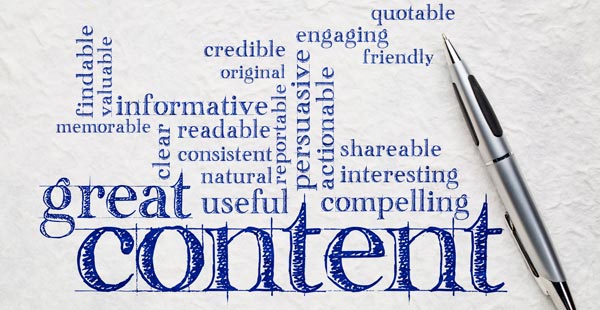
High-quality website content is essential for effective SEO. Every aspect of your web page content must immediately engage and capture the rapt interest of your page visitors. Browsing web users and casual visitors to your site are willing to give your content a fair viewing. Yet if your site contains stale and outdated, irrelevant or poorly displayed design elements and textual material, your viewers are likely to leave your website for a better-designed domain.
To achieve your highest quality web content, you need to think like Google. Since Google is constantly striving to improve search results, you need to focus on presenting the highest calibre content possible on all the pages of your website. In addition, your content must be monitored and evaluated constantly to determine how it is affecting your SEO results, web traffic numbers and product sales conversion rates.
To ensure that your brand’s image and online presence continue to grow and have an impact in your industry, you must have the optimal quality site design, presentation and content.
The Essential Value of High-Quality Web Content for Effective SEO
Major actions relevant to creating currently popular website content and maintaining the interests and concerns of consumers can keep you prominent in the current central loop of e-commerce. Activities that you can initiate such as the following have a strong impact on the quality of your site content, your customers and your SEO results.
Communicate with Your Customers. To determine to what degree your current website content engages, inspires and pleases your current customer base, evaluate your web traffic and sales conversion rates constantly. Take time to communicate with your customers and site visitors. Ask their opinion of different products and services via email or in comment boxes, chat sessions or forums on your website.
Determine where your customers spend most of their time on social media and join in their discussions. When you and your brand become part of your industry niche scene and scenario, you may be amazed at the upward trends in your site popularity and product sales numbers.
Post Relevant Blogs. Post blogs that are relevant to current customer interests and concerns. Ask for your site viewers’ comments and ongoing feedback. Often, your site visitors and customers can alert you to aspects of your website content and design that they find bothersome, difficult to navigate or ineffective. They can offer insights and preferences that can help you improve the web presence of your brand’s featured products and services.
Remember that Something is Not Always Better than Nothing. In terms of your website content, remember that videos, images, text and interactive features that are poorly designed and presented will not grow your brand’s image and success rates. They are likely to damage your company’s online credibility, presence and persona.
By including excellent content and keyword usage and a unique content presentation that shows authority, you can greatly enhance your brand’s image and success. When your site content is highly relevant to your brand, products, services, commercial purpose, industry niche and consumer preferences and needs, you can look forward to higher levels of business growth and profits from effective SEO.
1300 638 949
enquiry@netwizardseo.com.au